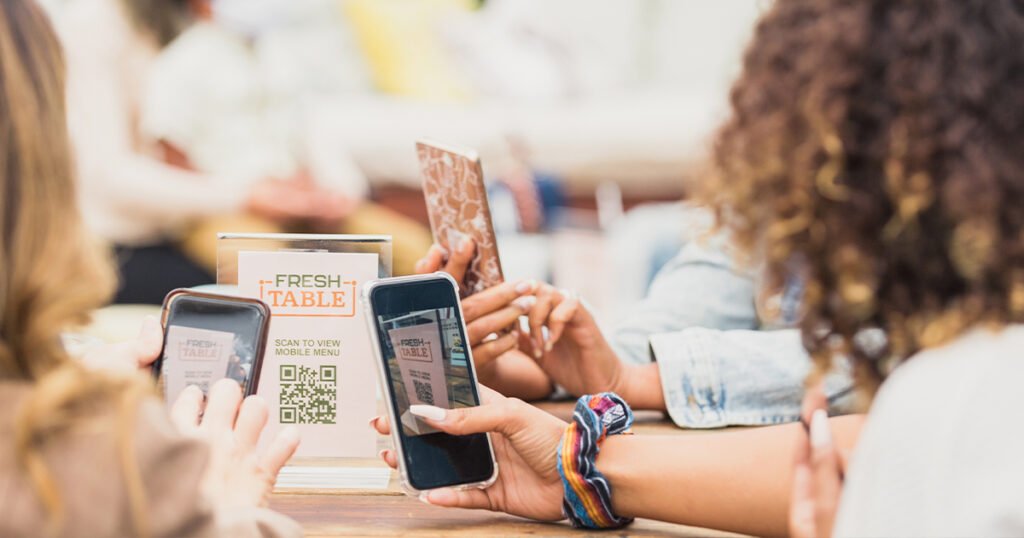
Quick Response (QR) codes are everywhere today. People use them to view restaurant menus, pay for parking and log into accounts. However, this convenience comes with a hidden risk.
Cybercriminals are increasingly using malicious QR codes—a tactic known as “quishing”—to steal personal data and financial information. Because human eyes cannot read a QR code, it is impossible to know where it leads until it is scanned.
To protect their digital lives from QR code scams, consumers must become vigilant scanners. Here are eight expert-recommended tactics to keep personal information out of the hands of QR code scammers.
Tips for Avoiding QR Code Scams
1. Inspect Physical Codes for Tampering
Scammers frequently paste fraudulent QR code stickers directly over legitimate ones. Before scanning any code in public spaces like parking meters, gas pumps or restaurant tables, users should run a finger over it. If it feels like a raised sticker or looks misaligned, it should not be scanned. Individuals should ask an employee for assistance instead.
2. Preview the URL Before Clicking
Most modern smartphone cameras display a preview of the website link when hovering over a QR code. Users should take a moment to analyze this URL before tapping it. They should look for spelling errors, strange domain extensions or mismatched brand names. Secure websites typically start with “https://” rather than “http://”.
3. Avoid Scanning Codes from Unsolicited Sources
People should treat QR codes like email attachments. If an individual receives a QR code via an unexpected text message email, or direct message on social media, they should delete it. Legitimate companies rarely require customers to scan a QR code to resolve an account issue or claim a prize.
4. Use Secure, Native Scanning Apps
Users should rely solely on their phone’s built-in camera app to scan codes. They should avoid downloading third-party QR scanner apps from app stores. Many of these third-party utilities are poorly secured or secretly bundled with malware designed to compromise a device.
5. Never Download Apps or Profiles via QR Codes
A QR code should never trigger an automatic download or prompt a user to install a configuration profile. If scanning a code initiates a file download or asks to install an application outside of an official app store, the user should cancel the action immediately and close the browser.
6. Do Not Open Shortened Links
Scammers often use URL shorteners like Bitly or TinyURL to disguise the final destination of a malicious link. If a QR code resolves to a shortened link that hides the full domain name, users should treat it as a major red flag and close the tab.
7. Avoid Making Payments Through Scanned Links
Consumers should never input credit card numbers, banking credentials or personal identification data onto a website reached through a QR code. If someone needs to pay a bill or make a purchase, they should manually type the company’s official web address into their browser instead.
8. Use Multi-Factor Authentication (MFA)
If a user accidentally scans a malicious code and enters login details on a spoofed site, MFA acts as the final line of defense. Ensuring all sensitive accounts require a secondary verification code prevents scammers from gaining access, even if they steal a password.
By turning these steps into daily habits, consumers can enjoy the speed of QR codes without compromising their cybersecurity.
Need a new smartphone with all the latest leading-edge features, including the ability to quickly scan and read QR codes? FTC offers the latest iPhones, as well as a range of other smartphones, including top-of-the-line Samsung models. Visit ftc.net today to explore our latest money-saving promotions and score a new device that helps keep you connected and stretch your budget.